Adding Social Share Buttons to Your Astro Blog
I tried to share one of my posts on X after my website rewrite this week and… my face showed up as the preview image. Not the article, not a nice graphic - just my profile photo staring back at everyone. Embarrassing, honestly. And then I noticed there’s no way for anyone reading my new blog to share it without copying the URL like it’s early days of the internet.
Both of these bugged me enough that I spent a Sunday night fixing them.
The OG image mess
Here’s what was happening. In my SiteLayout.astro, I had the Open Graph meta tag set up:
<meta property="og:image" content={new URL(ogImage, Astro.site)}>I never actually pass an ogImage for most posts. The fallback is to load /profile.jpg - which is a big photo of me on a beach along CA 1’s scenic highway.
The fix was pretty straightforward. I added an optional ogImage field to my content schema:
// content.config.ts
schema: ({ image }) =>
  z.object({
    title: z.string(),
    description: z.string(),
    pubDate: z.coerce.date(),
    heroImage: image().optional(),
    ogImage: z.string().optional(), // added this
  }),
Then in BlogPost.astro, I chain through the options - use the hero image if there is one, otherwise use the ogImage from frontmatter, otherwise fall back to a default:
const resolvedOgImage = heroImage?.src || ogImage || '/images/blog-og-default.png';I probably should’ve done this from the start but you know how it goes - you build something, it works, you move on. Then you try sharing a post, and boom, your handsome face is on the thing you just wanted to tell the world about. I still don’t know if it works pefectly, but atleast my face is not being shown by default on all posts now.
Share buttons
For the share buttons, I made a ShareButtons.astro component. Each social platform has its own URL format for sharing, which I had my AI buddies generate for me:
---
interface Props {
  url: string;
  title: string;
  description?: string;
}

const { url, title, description = '' } = Astro.props;
const encodedUrl = encodeURIComponent(url);
const encodedTitle = encodeURIComponent(title);

const shareLinks = {
  twitter: `https://twitter.com/intent/tweet?url=${encodedUrl}&text=${encodedTitle}`,
  facebook: `https://www.facebook.com/sharer/sharer.php?u=${encodedUrl}`,
  linkedin: `https://www.linkedin.com/sharing/share-offsite/?url=${encodedUrl}`,
  whatsapp: `https://wa.me/?text=${encodedTitle}%20${encodedUrl}`,
};
---
Both Twitter and WhatsApp let you fill in text. However, Facebook and LinkedIn just take the URL and pull everything from your OG tags (which is why fixing those mattered).
The copy-to-clipboard button uses the navigator.clipboard API. I still remember nightmares about hacking hidden textareas. This is so much cleaner:
button.addEventListener('click', async () => {
  await navigator.clipboard.writeText(url);
  // swap the icon to a checkmark for a couple seconds
});
I added a little checkmark animation when you click it. Probably unnecessary but I like that kind of feedback.
No Instagram, sorry
I didn’t really figure this out, but I think something about their API doesn’t allow sharing links. Future me will deal with this. Maybe I should plug TikTok instead :-)
Styling
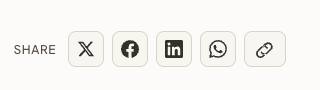
I went with icon-only buttons to keep it compact. Each one changes to the platform’s brand color on hover - black for X, that Facebook blue, LinkedIn blue (slightly different shade, weirdly), WhatsApp green. The copy button turns green with a checkmark when it works.
Here’s how it looks:
Was it worth it?
I mean, probably? Most people still won’t share anything or just copy my URL and share it. But at least now when they click it, or if our agentic browser overlords look for something on the page to build Skynet, it’ll look right when it parses the page. And I won’t have my face randomly showing up on LinkedIn or X anymore.
The whole thing took maybe two hours including the CSS fiddling. Not bad for a Sunday night project.